
 Test engineering
Retrofit
PLC migration from S5, S7-300 and S7-400 to S7-1500: process, risks, downtime
The best time to plan a PLC migration from S5, S7-300 or S7-400 to S7-1500 is while the old controller is still running. The process: back up the program, record inputs, outputs and I/O, convert and rework the program, test before the downtime and switch over with a fallback option. The effort is determined mainly by documentation, I/O, safety technology and interfaces, less by the age of the controller.

Migrate now or only after a failure?
Migrate while the old controller is running. Then you can back up the program at leisure, test before the downtime and fit the modification window into your production plan. After a failure, the search for spare parts and troubleshooting determine how long the machine is down.
- SIMATIC S5: The life cycle ended on 30 September 2020. Since then Siemens no longer supplies or repairs S5 modules. Replacements only come from the second-hand market.
- S7-300 and ET 200M: Siemens announced the phase-out in October 2023. Since October 2025 the modules have only been available as spare parts, and spare parts supply has been announced until October 2033. Extensions with new modules are therefore hardly possible any more.
- S7-400: According to Siemens, the system is planned to be available beyond 2035, but individual modules and CPUs are being discontinued. Check your article numbers individually.
- Operator panels: Siemens is continuously discontinuing older panels. You configure new panels in the TIA Portal, no longer in WinCC flexible. Operation therefore belongs in the planning.
How do you estimate the failure risk?
Whether waiting is cheaper is shown by a simple estimate of the expected failure costs.
KA = p · tA · kS
- KA
- expected cost of an unplanned failure in the period under consideration in €
- p
- probability that the controller fails in the period and cannot be repaired quickly (0 to 1)
- tA
- expected downtime until recommissioning in h
- kS
- downtime costs per hour in €/h: lost contribution margin, personnel, rework, contractual penalties
Example: A line costs €1,500 per hour when it is down. You estimate the probability of a serious S5 failure in the next year at 20 % and the downtime until an emergency repair with a second-hand part at 80 hours. The expected failure costs are then €24,000 per year. All values are example values.
Compare this value with the cost of the planned migration. Planned downtime is usually shorter because hardware and software are ready beforehand, and it can be buffered with pre-production or relocation. Indicators of the probability are the fault history, the age of the modules and spare parts in your own stores.
What must be backed up and recorded before the PLC migration?
Before the migration, you back up the current program directly from the running CPU and record hardware, inputs and outputs, interfaces and safety functions. Old data media and circuit diagrams often no longer match the machine.
- Program from the running CPU: For the S5 you need a programming device with an S5 interface (AS 511) or a PC with a suitable adapter and S5 software. The backup includes the program file, the assignment list with symbols and the cross-reference list. For S7-300 and S7-400 you back up the STEP 7 project with hardware configuration, symbols and comments and compare it online with the CPU, so that you know whether the project matches the running version.
- Current values: data blocks with recipes and parameters, parameters of the converters and servo drives.
- Hardware: CPU and modules with article number, bus systems (MPI, Profibus, Profinet), drives, panels and links to other controllers and to the control system.
- Circuit diagrams: Do the diagrams match the control cabinet? Changes made over the last decades are often missing.
- I/O list: all inputs and outputs with signal type, voltage, analogue range (for example 4 to 20 mA or 0 to 10 V) and potential group.
- Safety technology: Which safety functions are there, and where are they: in safety relays, in an F-CPU or, on old machines, also in the standard program?
How many inputs and outputs do you plan with reserve?
The I/O list gives the quantity structure for the new I/O. Plan in a reserve so that later changes are possible without a new modification. You set the amount yourself; in the example we calculate with 20 %.
Nplan = Nact · (1 + r) nmod = ⌈Nplank⌉
- Nplan
- planned number of channels of one signal type, rounded up
- Nact
- channels of this signal type in use today according to the I/O list
- r
- reserve as a fraction, for example 0.2 for 20 %
- nmod
- number of modules, rounded up to the next whole number
- k
- channels per module, for example 16 or 32
Example: 312 digital inputs with 20 % reserve give 375 planned inputs. With 32-channel modules that is 12 modules, with 16-channel modules 24.
Calculate separately for each signal type. Potential groups and separate load circuits can require additional modules.
Which controller replaces the old one: S7-1200, S7-1500, ET 200SP or Beckhoff?
You choose the target controller according to machine size, I/O, safety technology, response time and the know-how of your maintenance team. For S7-300 and S7-400, the S7-1500 is the direct successor. Smaller machines often run on an S7-1200, and if you already use Beckhoff, you migrate to TwinCAT 3.
| Target | Suitable for | Note |
|---|---|---|
| Siemens S7-1200 | smaller machines with a manageable number of inputs and outputs | does not support STL: we rewrite STL programs, including those from the S5, in LAD, FBD or SCL |
| Siemens S7-1500 | medium-sized and large machines and installations, direct successor of S7-300 and S7-400 | accepts STL, safety programs run on an F-CPU |
| Siemens ET 200SP | distributed I/O on S7-1200 and S7-1500, and as ET 200SP CPU also a controller directly in the I/O system | wiring is rebuilt, but all modules are currently available |
| Beckhoff with TwinCAT 3 | all current Beckhoff controllers, from embedded PC to industrial PC | program is rebuilt to IEC 61131-3, I/O usually via EtherCAT terminals |
We program the S7-1200 and the S7-1500 in the TIA Portal, Beckhoff controllers in TwinCAT 3. More about programming on the page PLC programming.
Is the cycle time of the new CPU sufficient?
Siemens names reserves in cycle time, terminal-to-terminal response time and memory as criteria for selecting the new CPU. For the longest response time with cyclic program execution and central I/O, Siemens gives this estimate:
tR,max = tI + 2 · TC + tO
- tR,max
- longest response time from the signal at the input terminal to the response at the output terminal in ms
- tI
- input delay of the input module in ms
- TC
- cycle time in ms: read process image, user program, write process image
- tO
- output delay of the output module in ms
Example: An input delay of 3 ms, an output delay of 0.5 ms and an old CPU with a cycle time of 20 ms give a maximum of 43.5 ms. The same machine with a cycle time of 4 ms on the new CPU responds after a maximum of 11.5 ms. The values are examples.
With distributed I/O, according to Siemens, the update time of Profinet IO or Profibus DP is added, twice each for inputs and outputs. A shorter cycle time is not always harmless: program parts that count times over cycles or wait for a certain sequence of signals behave differently afterwards. We look for such points in the program before testing.
I/O and bus system: everything new or keep the wiring?
You can renew the I/O completely, continue to use the existing wiring via adapters or keep the old distributed I/O for the time being. Siemens recommends renewing the I/O completely in the medium term. This can also be done in a second step.
| Approach | Advantage | Note |
|---|---|---|
| Completely new, for example ET 200SP | everything available, current diagnostics | longer downtime, wiring and signal test completely new |
| I/O adapters for existing front connectors | wiring remains, shorter downtime | check potential groups, one adapter per module type |
| New CPU, ET 200M stays for now | smallest intervention | ET 200M is itself being phased out, only an intermediate step |
What happens to Profibus, MPI and links?
- Profibus stays for now: An S7-1500 with a DP interface or with the communication module CM 1542-5 or CP 1542-5 continues to operate existing Profibus stations.
- Switching to Profinet: The interface modules of the ET 200 stations are replaced. Profibus subnets that are to remain can be connected via a gateway such as the IE/PB Link.
- MPI is dropped: The S7-1500 has no MPI interface. Panels, programming devices or third-party devices on the MPI bus need a new connection.
- Links: We record every data exchange with neighbouring controllers and the control system in an interface list with partner, addresses and data format.
In its migration guide, Siemens advises laying new communication cables rather than reusing the old ones, even if they could still be used.
How is the PLC program converted and what has to be reworked?
The TIA Portal migrates S7-300 and S7-400 projects with symbols and comments; S5 programs first go through the S5/S7 converter. The effort then lies in rework, testing and communication with the neighbouring systems.
From S5: two stages and different addresses
The S5/S7 converter translates the program into STEP 7, and the project is then migrated to the TIA Portal. The converter does not convert instructions such as LIR and TIR, it only marks them. We rewrite these functions in SCL. A common pitfall is the addressing of the data blocks: S5 counts in data words, S7 in bytes.
aS7 = 2 · nS5
- aS7
- byte address of the data word in the S7 data block (DBW)
- nS5
- number of the data word in the S5 data block (DW)
Example: DW 10 in the S5 data block is at DBW 20 in S7. A panel or control system that previously read DW 10 must be changed to DBW 20.
Further rework arises with handling blocks for communication processors, with access to absolute memory addresses and with indirect addressing.
From S7-300 and S7-400: Migration Tool and Readiness Check
If STEP 7 V5.x is not installed on the TIA computer, the Migration Tool creates a migration file on the old computer, which the TIA Portal reads in. With the Readiness Check Tool you check beforehand which modules can be migrated directly. Multiprojects are migrated one project at a time. Only then is the CPU changed over to the S7-1500 in the TIA Portal. Rework arises with:
- optimised blocks that the control system, MES or third-party controllers access absolutely
- organisation blocks, system functions and instructions that no longer exist on the S7-1500
- indirect addressing and pointers
- links to other controllers via PUT and GET
What happens to the operator panel and WinCC flexible?
WinCC flexible 2008 projects can be migrated to the TIA Portal together with the STEP 7 project and continued there on Comfort Panels. ProTool projects must first go through WinCC flexible 2008. According to Siemens, there is no complete migration for the change to WinCC Unified: screens can be partly transferred, scripts must be rewritten in JavaScript. Siemens offers a Modernization Checker and the Data2Unified add-in for this.
With Unified, you should therefore plan the interface as a new build with transferred tags and messages.
Does the safety technology have to be accepted again after the migration?
Yes, as soon as the safety program is recompiled for the new F-CPU. It then receives a new collective signature and must be validated and accepted again. Plan validation and test report firmly into the downtime window.
According to the Siemens migration guide, a program created with Distributed Safety keeps its structure and collective signature as long as it is only migrated in the TIA Portal and not recompiled. For the S7-1500 it is recompiled with STEP 7 Safety Advanced. In the process, the names and numbers of the F-I/O data blocks change, and individual instructions such as MUTING and TWO_HAND have to be inserted again in the TIA Portal.
If safety functions have so far been in the standard program or in hard-wired relays, the replacement is no longer a pure change of controller. A risk assessment and a design to EN ISO 13849-1 are then required.
Does the safety distance change?
If the response time of the safety chain changes, the required distance of electro-sensitive protective equipment such as light curtains from the danger zone also changes. EN ISO 13855 calculates it as follows:
S = K · T + C
- S
- minimum distance from the danger zone in mm
- K
- approach speed in mm/s, initially 2,000 mm/s for light curtains
- T
- overall stopping time of the system in s: response time of the light curtain, response time of the safety controller and stopping time of the machine
- C
- additional distance in mm; for light curtains with a resolution d of up to 40 mm, C = 8 · (d − 14 mm) applies
Example: A light curtain with a resolution of 14 mm, so without additional distance, and a stopping time of 200 ms give 400 mm. If the response time of the new safety chain increases by 20 ms, the minimum distance rises to 440 mm. If the calculation gives more than 500 mm, the standard continues with 1,600 mm/s.
During the machine inspection we measure the stopping time at electro-sensitive protective equipment. After a migration, this measurement shows whether the existing distance is still sufficient.
How do testing, FAT and commissioning work in a PLC migration?
Testing takes place in three stages: the program in simulation, the new control cabinet in advance in the factory acceptance test (FAT) and, at the machine, every input and output in the signal test. This is followed by the functional test, validation of the safety functions and release for production.
We test the new program in simulation and, where possible, with the new control cabinet in our assembly hall in Wörth an der Donau.
How long does the signal test take?
The signal test is often the largest plannable block during the downtime.
TST = NI/O · tSnT
- TST
- net test time of the signal test in h
- NI/O
- number of inputs and outputs to be tested
- tS
- time per signal in h: trigger, check in the program and on the panel, record
- nT
- number of test teams working in parallel
Example: 420 signals, 3 minutes per signal and two teams give 10.5 hours of net test time. The time per signal is an example value: analogue signals and drives take longer than simple limit switches, and breaks, troubleshooting and rework come on top.
The formula shows where downtime can be saved: if the control cabinet is tested in advance in the hall, part of the test moves out of the downtime into the preparation.
Commissioning checklist
- The old controller remains ready for reinstallation until release. It has been agreed in advance from which point in time it will be reinstated if something does not work.
- The old and new program versions are backed up and the versions documented.
- Every input and output has been tested at the machine and recorded.
- Communication with the panel, control system and neighbouring controllers has been tested.
- Functions are accepted individually: operating modes, fault cases, restart after emergency stop and after power failure.
- Safety functions are validated, signature and test report documented.
- Access protection of the CPU is set up. We clarify beforehand whether older panels support the encrypted communication of the S7-1500.
- Program version, backups, circuit diagrams and documentation have been handed over, and your maintenance team knows what has changed.
Is a PLC migration a substantial modification?
As a rule not, if function and safety level remain the same. Under Article 3(16) of the Machinery Regulation (EU) 2023/1230, a modification is only substantial if it creates a new hazard or increases a risk and therefore requires additional protective devices with adaptation of the safety controller or measures for stability.
The Machinery Regulation applies from 20 January 2027. According to the 2015 interpretation paper of the German Federal Ministry of Labour, replacing components with ones of identical function and identical safety level is not regarded as a substantial modification. If new functions are added, we assess them separately. Document the assessment even if the result is “not substantial”.
Irrespective of this, the operator updates the workplace risk assessment and, under Section 14 (3) of the German Industrial Safety Regulation (BetrSichV), has the machine inspected after a modification subject to inspection before its next use. If the modification is substantial after all, we take care of the CE marking for the new state.
What does a PLC migration cost and what does the effort depend on?
There is no flat rate, because the effort depends less on the age of the controller than on documentation, I/O, safety technology and interfaces. After the survey you receive a description of the modification packages, open points and possible downtime windows. This gives the cost framework.
| Cost driver | Increases the effort | Reduces the effort |
|---|---|---|
| Program and documentation | no current program version, no symbols, outdated diagrams | project with symbols and comments, current diagrams |
| I/O | complete rewiring, many analogue and special modules | adapters for existing front connectors, standard signals |
| Safety technology | safety functions in the standard program, F-program without acceptance documents | safety relays or F-program with acceptance report |
| Interfaces | control system, MES and third-party controllers with absolute addresses | single machine with documented interfaces |
| Operation | new build on WinCC Unified with scripts | panel replacement with migrated project |
| Downtime | short window, round-the-clock operation | advance test in the hall, pre-production |
Added to this are hardware, software access and licences, mechanical adaptations and the testing effort.
What we need from you for a quotation
- manufacturer and year of manufacture of the machine, controller and drive types, as far as known
- photos of the control cabinet and of the rating plates of the modules
- existing backups, circuit diagrams and I/O lists
- known faults and desired changes
- interfaces to the control system, MES or neighbouring machines
- possible downtime windows, if foreseeable
Incomplete information is also sufficient for an initial enquiry. In the free Retrofit Check we look at the machine on site. We migrate to Siemens S7-1200 or S7-1500 with ET 200SP or to all current Beckhoff controllers with TwinCAT 3. More on this under Retrofit.
Frequently asked questions about PLC migration
Answers to the questions that maintenance and technical managers ask before a migration.
How long will spare parts for the S7-300 be available?
Siemens has announced spare parts supply for S7-300 and ET 200M until October 2033, with exceptions for individual modules reserved. New modules for extensions have not been available since October 2025. Check the status of your article numbers individually in Siemens Industry Support.
Does everything have to be modified at once?
No. We often replace the CPU first and keep the wiring via adapters; the I/O follows in a second step. What matters is that each step is tested and documented on its own.
We have no current program and no current circuit diagrams. Is it still possible?
Yes. We back up the program from the running controller and check the circuit diagrams against the control cabinet. We analyse missing functions at the machine and show this effort separately.
How long is the machine down during a PLC migration?
That depends mainly on how much is finished before the downtime. With a prepared program, a control cabinet tested in advance and reused wiring, the downtime is mainly taken up by the modification, signal test and acceptance. We set the downtime window according to your production plan.
What does a PLC migration cost?
That can only be said with confidence after the survey. The effort is determined by the condition of the documentation, I/O, safety technology, interfaces and operation, less by the age of the controller. You receive a description of the modification packages and open points, which gives the cost framework.
Do I need new CE marking after the migration?
As a rule not, if function and safety level remain the same. If new functions or protective devices are added, we assess whether there is a substantial modification and document the result.
Does the safety technology have to be accepted again?
If a safety program is recompiled for the new F-CPU, its collective signature changes. It must then be validated and accepted again. We plan this into the downtime window.
Siemens or Beckhoff as the target?
Siemens is the obvious choice if your maintenance team knows the TIA Portal: the S7-1200 for smaller machines, the S7-1500 for larger ones, both with ET 200SP as I/O. With Beckhoff, we migrate to all current controllers with TwinCAT 3. We decide this together with you.
Can you connect the new controller to the control system, MES or SCADA?
Yes. We record all interfaces with addresses and data format beforehand and test every connection before release. Via remote access we can see messages and signal states after commissioning. On request, we bring several machines together in a shared SCADA dashboard.
More technical articles
Test engineering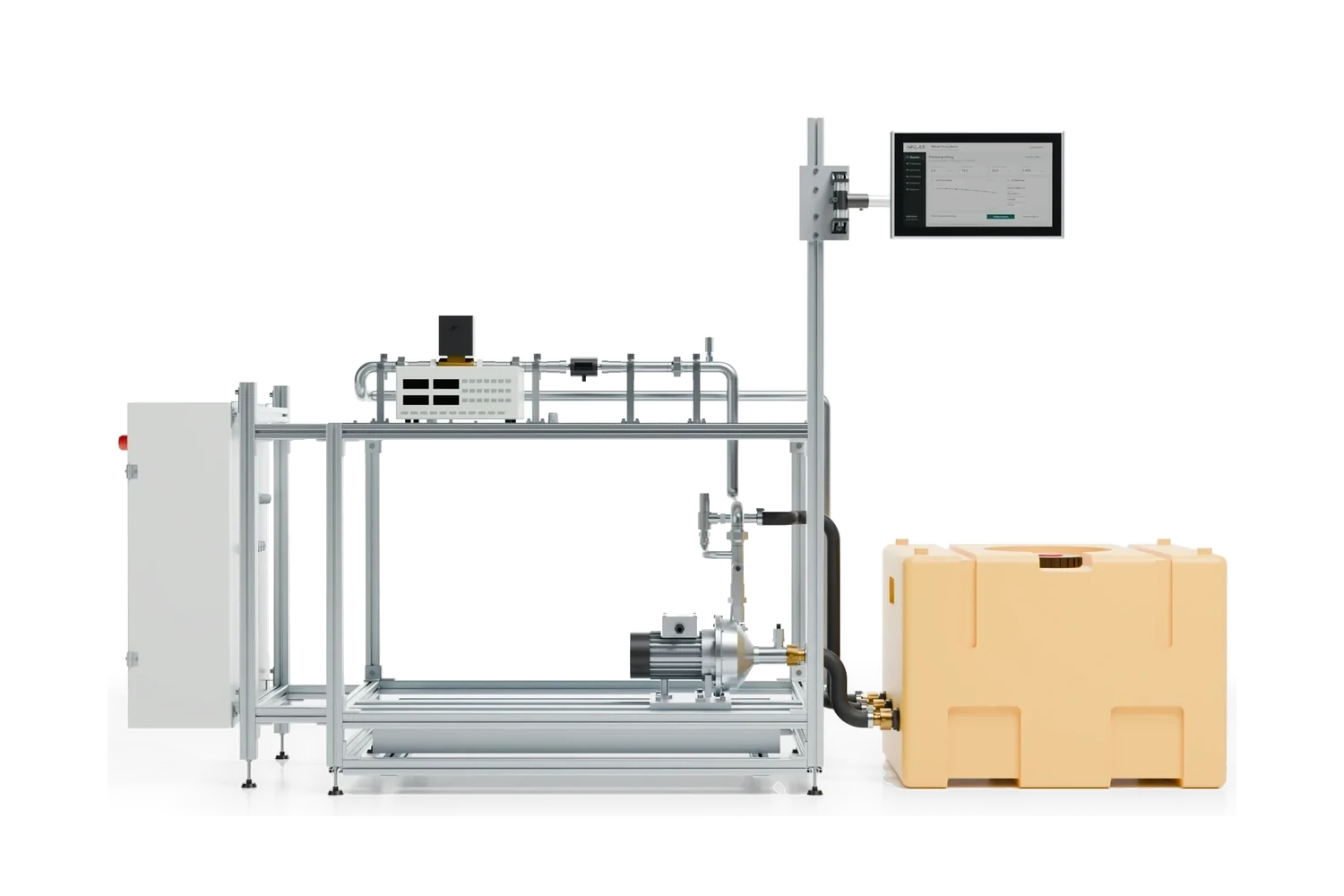 Test engineering
Pump testing ISO 9906
Tolerances of grades 1B, 2B and 3B, head and efficiency with a worked example, measurement uncertainty, NPSH3 and test procedure: how a pump test to DIN EN ISO 9906 runs on the test bench. Machine safety
Machinery Regulation 2027
Cut-off date, substantial modification during a retrofit, PLr and PFH, cybersecurity, digital operating instructions, notified bodies and what operators should do by 2027: the Machinery Regulation (EU) 2023/1230 in practice.Plan the migration of your controller
State the controller, modules and machine. Photos of the control cabinet help. We will get back to you with an initial assessment of the approach and downtime.
Simon Niklas
Mechanical engineer, M.Sc.
+49 941 56956720[email protected]
“Good engineering proves itself in day-to-day production. That is why we combine technical planning with a close understanding of process, operation and maintenance.”
Book a consultation